How to Buy Ethereum (ETH) Online in 2026
Buy Ethereum (ETH) instantly with Best Wallet. Thanks to our partnership with Onramper, purchase ETH using credit or debit cards, Apple Pay, Google Pay, PayPal, or bank transfer, all in-app.
How to Buy Ethereum in 3 Easy Steps
1. Create your wallet
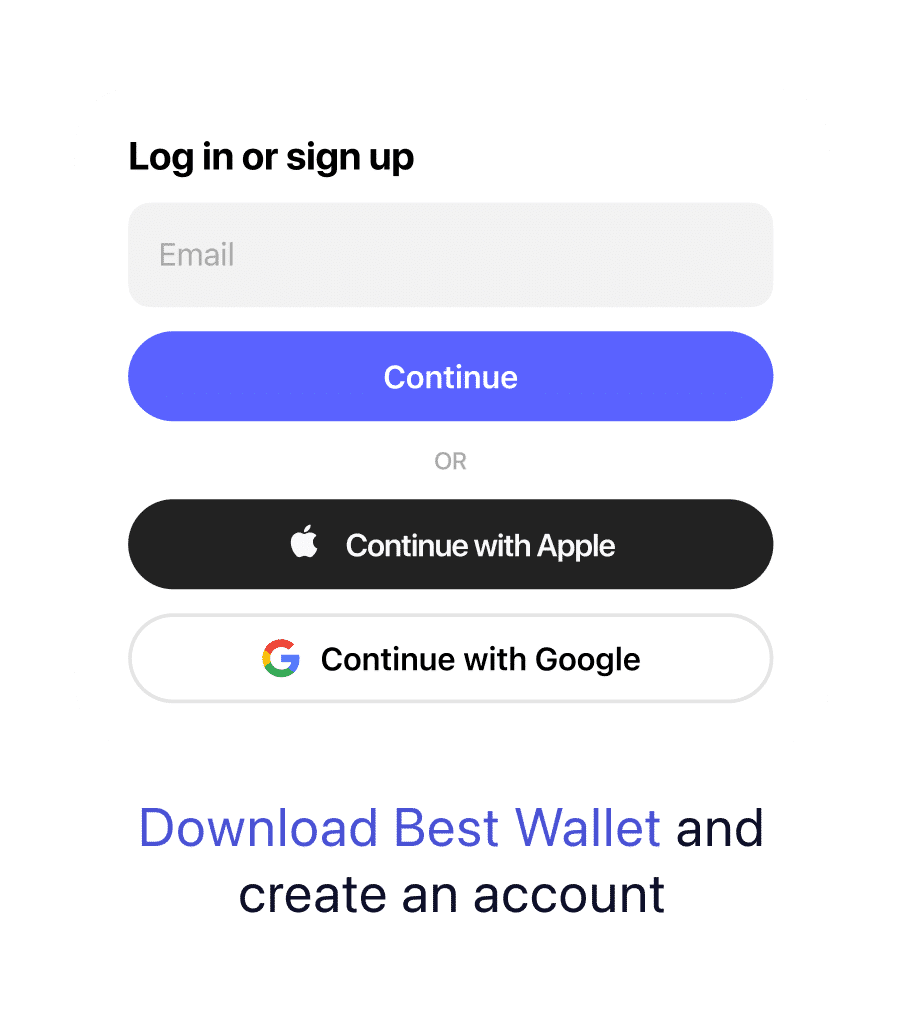
Download Best Wallet on iOS or Android and tap Get Started.
Create a new self‑custodial Ethereum wallet using just your email—no ID required.
2. Buy Ethereum Instantly
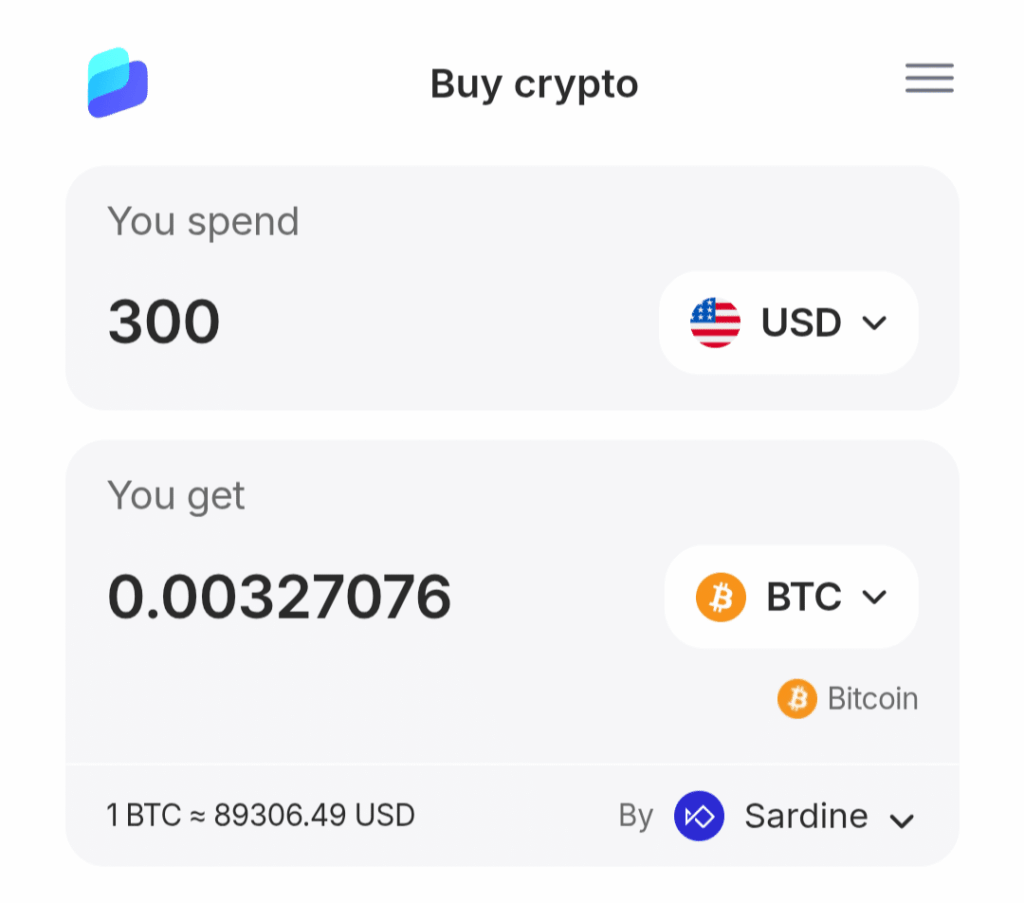
From the Home screen, tap Buy and select Ethereum (ETH). Choose your amount and preferred payment method, such as credit or debit card, Apple Pay, Google Pay, PayPal, bank transfer, or another crypto option where available.
3. Store, Spend, or Swap ETH
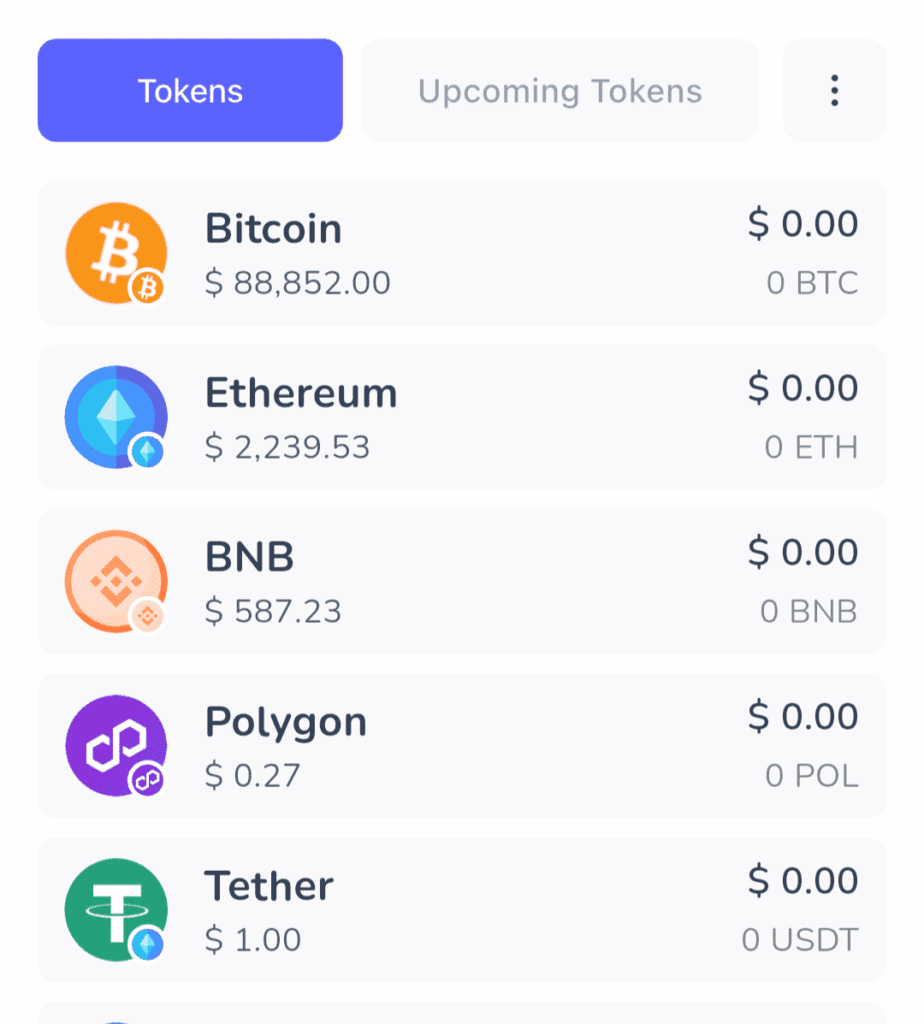
Your Ethereum is delivered straight to your self‑custodial wallet. You can hold it, send it, or swap it anytime in Best Wallet, with clear fees and network details shown before you confirm.
Why Best Wallet Is the Best App to Buy Ethereum in 2026
Best Wallet gives you a simple and privacy‑focused way to buy Ethereum (ETH) instantly, with no or limited KYC in eligible regions and full control over your funds in a self‑custodial wallet, powered by Onramper. Start with a secure crypto wallet, compare Ethereum rates for different payment methods, and buy ETH safely with clear fees and full transparency.
Full Ethereum Experience
Buy Ethereum online in minutes. Sign up, choose your payment method, and purchase ETH using options like cards, Apple Pay, Google Pay, PayPal, bank transfer, or other crypto where supported, with low fees and a streamlined verification flow.
Maximum Security
Stay private and in control. Best Wallet uses self‑custodial architecture and multi‑layer security, so you hold your keys and crypto, and no ID is required to create a wallet account. Deposit, transfer, and swap crypto completely privately.
Low, Transparent Fees
See fees and rates upfront before you buy. Get competitive Ethereum pricing for your chosen payment method, with no hidden charges, so more of your money goes into ETH.
Where to Buy Ethereum Instantly — Payment Methods Supported
How To Pay For ETH
Best Wallet makes it easy to buy Ethereum online. Our app, through our integration of Onramper, lets you buy ETH using the most popular global payment methods, with your crypto delivered straight to your self‑custodial wallet. In eligible regions, you can buy Ethereum with minimal verification, but requirements may vary by provider, region, payment method, and token, and some transactions may require additional checks.
Bank Card

Use Visa or Mastercard for fast, card‑based ETH purchases—ideal if you want to buy Ethereum instantly with a debit or credit card.
Apple Pay

Buy Ethereum easily with Apple Pay on iOS for a quick, mobile‑first checkout experience.
Google Pay

Purchase ETH on Android with Google Pay to fund your wallet in just a few easy taps from your device.
PayPal

Pay with PayPal, Neteller, or Skrill in supported regions if you prefer online wallets over cards or bank transfers.
Bank

Pay by bank transfer where available, or swap other crypto to ETH instantly using Best Wallet’s swaps.
Buy Ethereum Online Starting from around $10
You don’t need to buy a full ETH to get started. With Best Wallet, you can buy small fractions of Ethereum—starting from roughly $10—so you can ease in, test the app, or build a position gradually. Just set up your Best Wallet, tap Buy, choose your amount, and grow your ETH holdings over time with clear fees shown before you confirm.
- Buy as little as 0.001 ETH
- Good for beginners starting with small amounts
- Dollar-cost averaging made simple
- Automatically track your growing balance in the app
Get Best Wallet to Buy ETH


Buy Ethereum & ERC-20 Tokens Instantly in Best Wallet
Best Wallet lets you buy native Ethereum (ETH), hold ERC‑20 tokens, and make multi‑chain swaps from a single self‑custodial app – powered by Onramper.
Native ETH
Hold, spend, and trade Ethereum on its own network directly in your wallet, with full control over your private keys and transaction settings.
ERC-20 Tokens
Add popular ERC‑20 assets like USDT, USDC, LINK, DAI, WBTC, SHIB, PEPE, and many more alongside your ETH balance in the same interface.
Swap ETH ↔ SOL, BTC, & more
Move between ETH and other major coins such as SOL, Bitcoin, and USDT in Best Wallet thanks to Rubic, with routes and fees shown before you confirm each swap.
Swap Ethereum Quickly
Trade your Ethereum easily with low fees, right inside the Best Wallet app. Powered by Rubic.
Swap ETH with Ease
Swap ETH for thousands of tokens across multiple chains using the built‑in Best Wallet DEX, with real‑time quotes and clear routes shown before you confirm. It’s fast, privacy‑focused, and always displays a transparent fee breakdown, so you know exactly what you’ll pay and how much you’ll receive.
- Swap ETH for tokens like BTC, SOL, USDT, and many more
- Access multi‑chain swaps in‑app without leaving your wallet
- Private by default—no unnecessary data sharing
- Transparent, adjustable fees and slippage settings before you confirm each swap
Security That Puts You in Control
Self‑custody by default. Privacy by design. A secure way to buy and hold ETH.
Control
Best Wallet is self‑custodial— only you hold your keys and approve transactions, with no central custodian standing between you and your Ethereum.
Privacy
Your private keys are encrypted on your device, and you can add biometrics or 2FA at any time for extra protection when buying, sending, or swapping ETH.
Transparency
See all costs before you confirm—fees, routes, providers, and estimated received ETH are shown clearly so there are no surprises.
How Best Wallet Finds the Best Price to Buy Ethereum
Smart routing helps you get a competitive total price on every Ethereum (ETH) purchase. Powered by Onramper.
Best Total Price
Best Wallet compares trusted providers in real time and routes your ETH buy to the option with the lowest all‑in cost for your chosen payment method and region.
Transparent Fees
See a full fee breakdown before you pay—including provider fees, network costs, and the exact amount of ETH you’re set to receive—so there are no hidden charges.
$BEST Benefits
As the ecosystem grows, holders of $BEST may unlock in‑app perks and rewards when buying and holding ETH through Best Wallet.
What is Ethereum?
What is Ethereum?
Ethereum (ETH) is a decentralized blockchain that lets developers build smart contracts, decentralized apps (dApps), NFTs, and DeFi protocols. ETH is both the network’s native cryptocurrency and the fuel that pays for transactions, staking, and interactions with Web3 apps worldwide.
Manage All Your Crypto in One App
Best Wallet makes it easy to keep track of Ethereum and the rest of your portfolio in a single self‑custodial app. Monitor your Ethereum wallet and balances from the Best Wallet portfolio dashboard, and instantly swap thousands of tokens—including ETH—through Best Wallet’s DEX, the built‑in decentralized exchange.
Ethereum vs Ethereum ETFs and Stocks
- Ethereum (ETH) is a cryptocurrency you hold in a wallet, not a stock or ETF. When you buy ETH directly, you can send it, use it in DeFi and dApps, spend it in Upcoming Tokens, and stake or swap it on‑chain.
- Ethereum ETFs and stock‑market products give price exposure to ETH through a broker account, but you don’t control the coins themselves and you can’t use them on the Ethereum network. They may also have different fees, custody risks, and trading hours compared with holding ETH in a self‑custodial wallet.
- Best Wallet focuses on helping you buy and manage real Ethereum in a wallet you control, so you get both price exposure and the ability to actually use ETH across Web3.
How to Buy Ethereum Instantly with No or Limited Verification on Best Wallet
Follow these steps to buy Ethereum (ETH) quickly and privately in minutes, where available.
1. Download Best Wallet
- Get the app for iOS or Android and install it on your device. Use the App Store or Google Play links in the Best Wallet site to download the official app. If you’re new to wallets, you can read the guide on how to get a crypto wallet first.
- App links: App Store | Google Play
2. Create Your Wallet
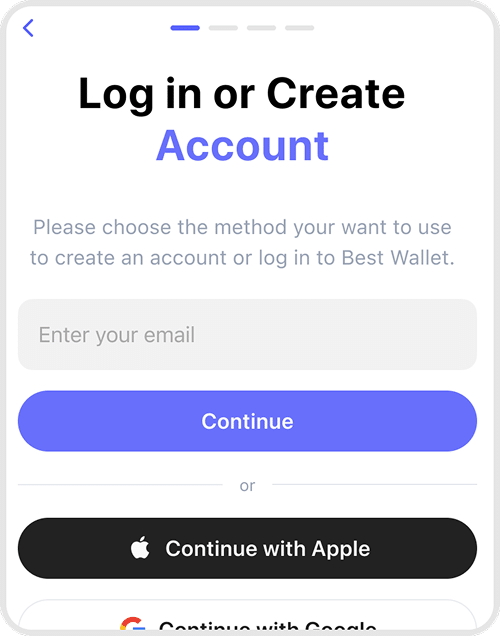
- Sign up with your email and verify the code to create a self‑custodial wallet. Set a secure 4‑digit PIN and optionally enable 2FA and biometrics in Settings for extra protection.
3. Set up your ETH purchase
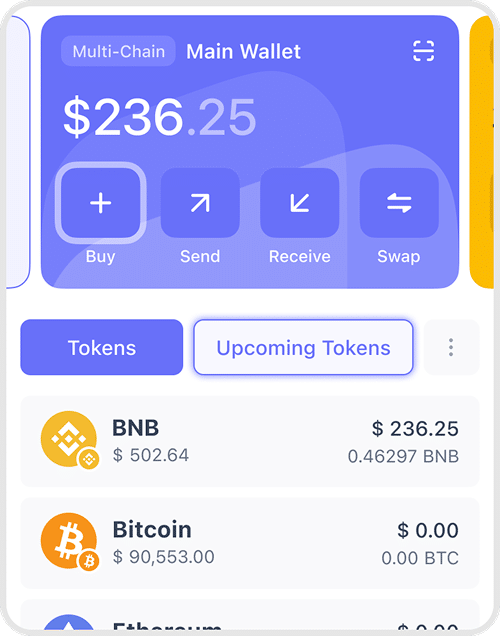
- From the wallet card, tap Buy and choose Ethereum (ETH). Select your preferred network (where supported) and the amount of ETH you want to buy.
4. Choose payment method
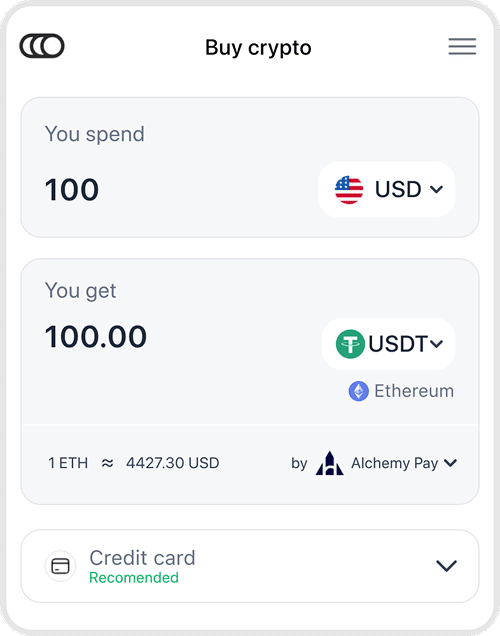
- Pick how you want to pay for Ethereum and the amount. Supported options can include credit/debit cards, Apple Pay, Google Pay, PayPal, Neteller, Skrill, and bank transfer, depending on your region and provider.
5. Review and complete
- Best Wallet automatically routes your order to a trusted provider with a competitive ETH price and pre‑fills your wallet address. Check the full fee and rate breakdown, confirm the transaction, and receive your Ethereum directly in your self‑custodial wallet.

Trusted by Thousands. Built for You.
Frequently Asked Questions
Yes—if you use regulated providers, secure payment methods, and a self‑custodial wallet like Best Wallet, buying Ethereum (ETH) online can be done safely, though prices are volatile and you can lose money.
The cheapest way is usually to use low‑fee payment methods like bank transfer or crypto swaps and compare total costs (fees + rate) across providers before you buy.
In some regions, you can buy small amounts of ETH with limited verification, but regulations mean many services still require ID checks at higher limits, and you remain responsible for following local laws.
Many beginners start with a small amount—such as the equivalent of $10–$50—so they can learn how wallets, fees, and transactions work before deciding whether to buy more.
Buying Ethereum means holding the cryptocurrency in a wallet you control, while Ethereum ETFs give price exposure through traditional brokerage accounts but do not let you use ETH on‑chain or in DeFi.
On Best Wallet, you choose ETH, enter the amount, pick “card” as your payment option, then complete a quick checkout with a supported provider, which may require identity checks in some regions.
Where available, you can select PayPal or supported e‑wallets at checkout, review the quoted fees and rate, and then confirm payment to receive ETH in your wallet.
The basic steps are the same everywhere—download Best Wallet, create a wallet, choose ETH, and pick a local payment method—but available providers, limits, and verification rules vary by country.
Yes, card, Apple Pay, Google Pay, and some e‑wallet or swap methods can fund ETH purchases almost instantly, although bank transfers and certain regions may be slower.
You can hold ETH as an investment, send it to other wallets, use it in DeFi or dApps, buy NFTs, or swap it for thousands of other tokens directly from Best Wallet.