Best Polygon Wallet in 2026
Best Wallet is the fastest and most secure Polygon wallet app for managing POL and Polygon-based tokens across all major blockchains. Trade, stake, and swap in seconds – all with full privacy, no KYC, and complete self-custody.
How to Get Started with the Best Polygon Wallet
1. Download Best Wallet
Get the free Polygon wallet app for iOS or Android – no account or verification required.
2. Create Your Polygon Wallet
Set a strong PIN, enable biometrics, and back up your wallet to keep your POL safe.
3. Start Using Web3 on Polygon
Buy and swap POL and Polygon tokens instantly within the app – securely and privately.
What is Polygon (POL)?
Polygon is a Layer-2 network built to scale Ethereum, reducing fees and speeding up transactions through its zkEVM and Proof-of-Stake architecture. It supports thousands of dApps, from DeFi protocols to NFT platforms and gaming ecosystems.
Fast & Affordable Transactions
Polygon processes transactions in seconds with near-zero fees, making it ideal for DeFi, NFTs, and gaming.
Compatible With Ethereum
As an EVM-compatible chain, Polygon lets users deploy Ethereum smart contracts and bridge assets seamlessly.
Sustainable And Scalable
Polygon’s zkEVM and Proof-of-Stake consensus offer scalability without sacrificing decentralization or security.
Why You Need a Polygon Wallet
A Polygon wallet is essential for holding and interacting with POL and other assets on the Polygon network. It lets you:
Swap tokens on Polygon and cross-chain.
Store and transfer POL tokens and Polygon assets safely.
Connect to Polygon dApps like Aave and QuickSwap.
Why Best Wallet Is the Best Polygon Wallet in 2026
Best Wallet is one of the most popular mobile Polygon wallets for storing, trading, and staking POL tokens. Here’s why:
Easy Cross-Chain Access
Lightning-fast Polygon transactions with instant confirmation and low fees. Best Wallet allows you to trade POL, ETH, SOL, and more in one place.
Security & Self-Custody
Your private keys are encrypted and stored locally – never on servers or centralized exchanges. Stay protected with PIN, biometrics, and 2FA.
(POL) Ecosystem Utility
Buy POL with fiat thanks to Onramper, swap Polygon tokens powered by Rubic, and connect to hundreds of Polygon dApps – all from one non-custodial wallet.
Security and Self-Custody for Your Polygon Wallet
Best Wallet is a fully non‑custodial Polygon wallet, so your private keys are generated and encrypted on your device – not on our servers or a centralized exchange. Only you can access your POL and approve transactions.
True Ownership
Your private keys are generated and stored on your device only – not on Best Wallet’s servers.
Layered Security
Protect your wallet with PIN, fingerprint, or face ID, plus optional two-factor authentication for sensitive actions.
Easy Recovery
If you change devices, restore your Polygon wallet instantly using your secure cloud backup.
Best Wallet keeps you in control at all times – no third-party access, no frozen funds, no KYC.
Cross-Chain Swaps
Quick. Easy. All in-app. Powered by Rubic.
Seamless Multi-Chain Trading
Swap POL for thousands of other tokens across Ethereum, BNB Smart Chain, Solana, and more – instantly and without leaving the app.
Smart Liquidity Routing
Rubic sources prices from top DEXs in Best Wallet to secure the best rates and lowest fees for every Polygon swap.
All-In-One Portfolio
Manage your entire multi-chain portfolio from one dashboard – track POL, ETH, SOL, BTC, and more in real time.
Buy POL and Polygon Tokens with Fiat
Powered by Onramper.
Flexible Purchases
Buy POL directly inside Best Wallet using Visa, Mastercard, Apple Pay, Google Pay, or bank transfer.
Instant Delivery
Once approved, your tokens arrive within minutes – ready to stake, trade, or use on Polygon dApps.
Transparent Pricing
All fees and rates are shown before you confirm your purchase – no hidden costs or mark-ups.
Buy & Trade Polygon (POL)


Privacy & Anonymity
No KYC Required
Start using Best Wallet anonymously in supported regions – no ID checks or personal data needed to use your wallet.
Off-Chain Privacy
All transactions occur on-chain, but Best Wallet never stores personal data or tracks your activity.
Secure by Design
Best Wallet’s privacy-first architecture means your identity and funds always remain under your control.
Connect to Polygon dApps
Connect to hundreds of Polygon dApps through Best Wallet using WalletConnect or direct integrations.
DeFi Integrations
Connect to leading Polygon apps like QuickSwap, Aave, and 1inch.
dApps & Gaming
Use Polygon platforms such as Magic Eden and OpenSea, or explore Play-to-Earn games with Best Wallet’s Apps tab.
One-Tap Permissions
Each connection is securely approved from your mobile device, ensuring you stay in control of wallet access and transactions.
Get Started with the Best Polygon Wallet in Minutes
Setting up your Polygon wallet takes just a few quick steps:
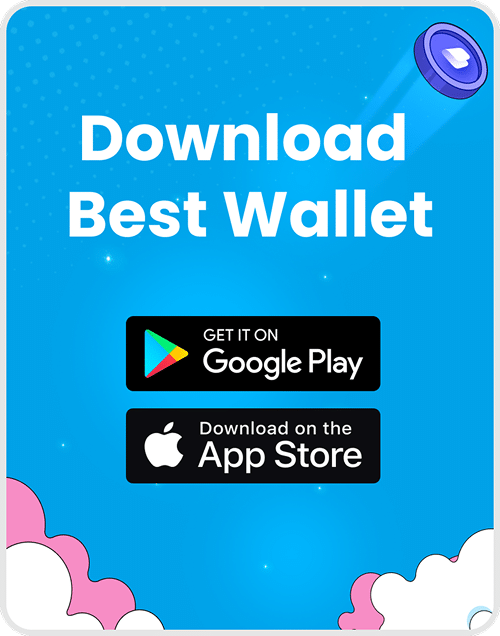
1. Download Best Wallet
- Get the free Polygon wallet app for iOS or Android – no account or KYC needed.
- App links: App Store | Google Play
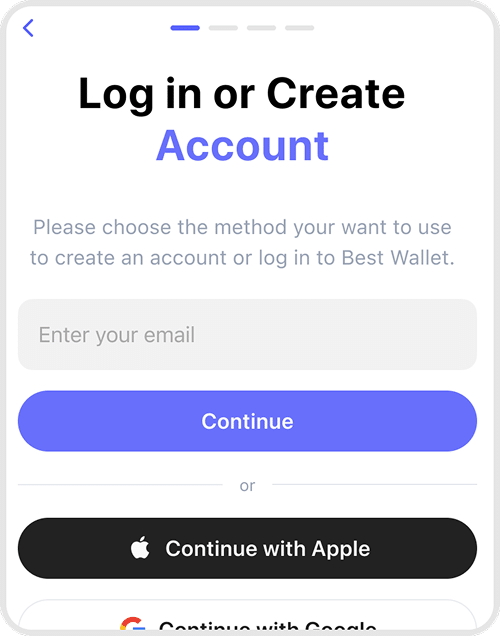
2. Set Up Security
- Create a PIN, save your recovery phrase, and enable biometrics for instant, secure access.
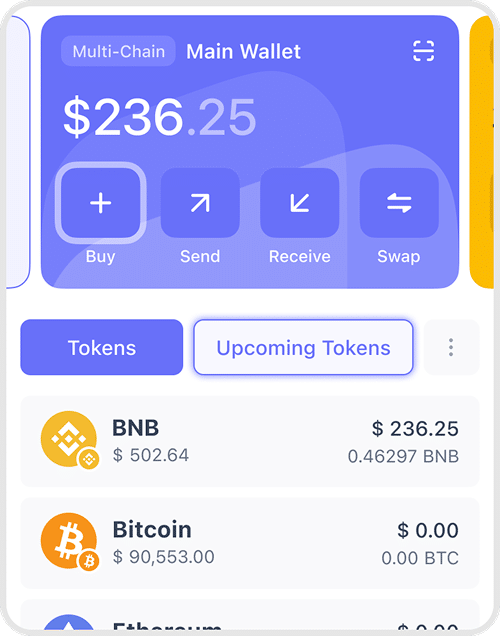
3. Add or Buy POL
- Transfer POL from another wallet or buy it directly with Visa, Mastercard, Apple Pay, Google Pay, or bank transfer.
4. Stake & Earn
- Stake POL and other tokens through Best Wallet’s staking aggregator to earn competitive rewards.
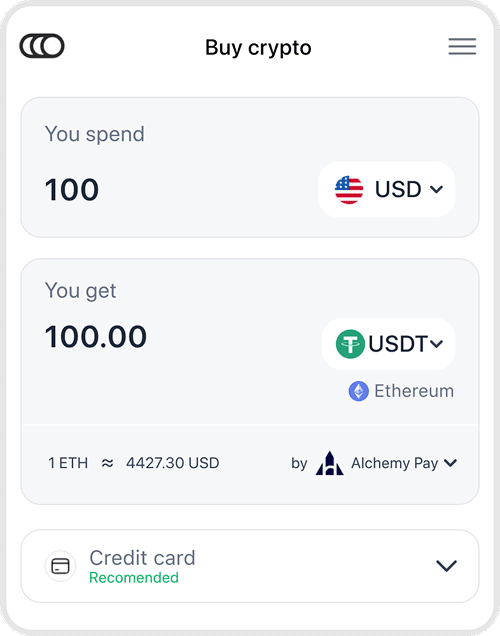
5. Connect to Web3
- Access DeFi, NFTs, and games across the Polygon ecosystem – all in one secure, non-custodial app.

Best Wallet charges no hidden fees – only standard network costs shown before you confirm a transaction.
Get Your Polygon Wallet Now
Frequently Asked Questions
Find answers to the most frequently asked questions about using a Polygon Wallet, right here.
Best Wallet is the top-rated Polygon wallet for speed, security, and privacy. It is easy for new users to set up and supports POL and thousands of other tokens.
Yes. You can buy POL using Visa, Mastercard, Apple Pay, Google Pay, or bank transfer directly in the app.
Yes. Best Wallet is fully non-custodial – you own your keys and control your funds at all times.
Absolutely. Connect your Best Wallet to staking platforms to stake POL and other assets while retaining full self-custody of your wallet.
No. You can start using Best Wallet anonymously in supported regions without ID verification.
Your keys never leave your device. All transactions are protected with encryption, PIN, biometrics, and optional 2FA.
You can store, swap and manage thousands of tokens across Ethereum, BNB Smart Chain, Solana, Base, and other major networks.
Yes – Best Wallet lets you store, mint, and trade Polygon NFTs while maintaining full ownership and privacy.
Best Wallet combines multi-chain DEX trading, staking, and fiat on/off-ramp features in one privacy-focused, self-custodial app.